
Search
Gardner Att Mini Receiver
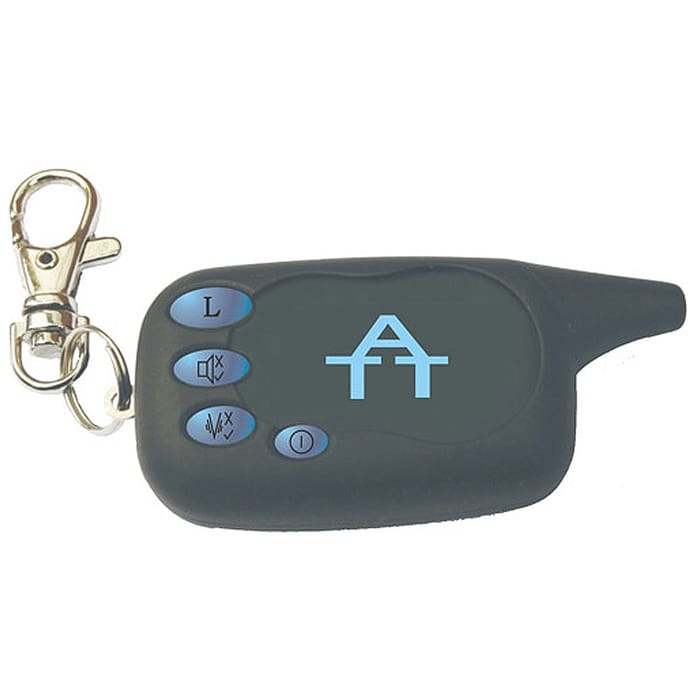

£45.00
Independent rating from genuine buyers
Out of stock
Model:
ATTMR
Reference:
GN080808129
Key Features
- Pocket Sized with Keyring attachment
- Visual, Audible and Vibration Warnings
- Full instructions supplied
- Uses 1 x AAA Battery (not supplied)
Free UK Delivery
Join MyAD Plus for just £9.99 a year and get FREE Priority delivery on ALL orders over £35 (1-2 working days)
Free UK Delivery on all orders over £35 (3 to 5 working days)
Priority Delivery from just £6.99 (1-2 working days, please note that during busy periods delivery may take an additional 2-3 working days.)
Interest Free Credit (0% APR)


Award Winning Customer Service

We aim to deliver the best customer service and sales support in our industry. Let's get you the answers you need as quickly as possible.
If you have any queries, please see our frequently asked questions at FAQs
Description
Gardner Att Mini Receiver,
When triggered by the Car Pager, the Mini Receiver is activated and will vibrate and beep 5 times. Pressing the L button will de-activate the Mini Receiver for 15 minutes. After the 15 minute period the Mini Receiver will be re-activated and continue normal use.
Activating the Mini Receiver To turn the Mini Receiver ON press the Power Button for 5 seconds, the LED will flash once, the Receiver will beep and the vibrate to indicate the Receiver is on. To turn OFF the Mini Receiver press the Power Button for 5 seconds, the LED will flash once to indicate the Receiver is now back to sleep mode (off).
Programming the ATT Mini Receiver to the ATT Car Pager Turn the ATT Mini Receiver to ON then press and hold the Program Button for 5 seconds until the LED lights up, the Mini Receiver is now in program mode. Activate your ATT Car Pager by opening a car door. The ATT Mini Receiver LED will turn off to indicate correct programming.
Activating/De-activating Beep Mode Turn the ATT Mini Receiver to ON then press the Beep Mode Button for 1 second, the LED will flash once indicating the sound-mode is off. Press the Beep Mode Button for 2 seconds, the LED will flash once and the beeper will sound indicating sound-mode is now back on.
Activating/De-activating Vibrate Mode Turn the ATT Mini Receiver to ON then press the Vibrate Mode Button for 2 seconds, the LED will flash once indicating the vibration function is turned off. Press the Vibrate Mode Button for 2 seconds, the LED will flash once and the vibration will activate indicating the vibration function is turned on.